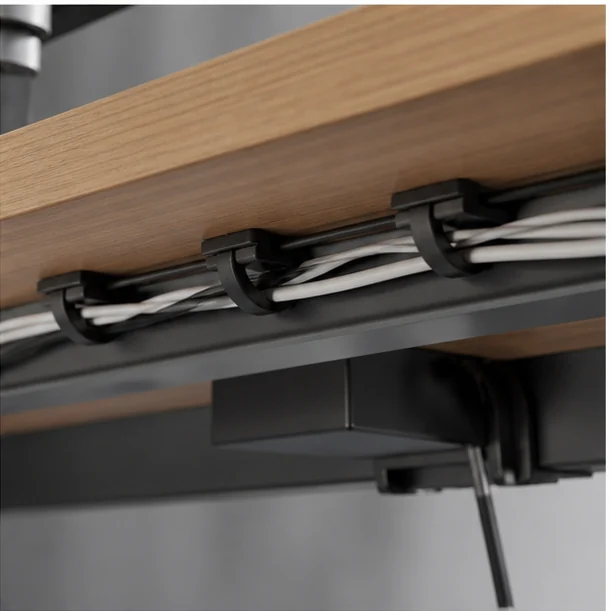
The real-life decision
Start with the day, not the product page.
The desk looks clean on Monday, then a laptop leaves for a meeting and every hidden cable falls behind the cabinet. Lasting organization has slack where devices move and anchors where they do not.
Separate power, data, and temporary charging. Fix the backbone under the desk, but leave replaceable leads easy to reach. This is the filter we use throughout the guide: the product should reduce friction in the moment it is meant to serve, while creating as little new maintenance as possible.
Home-office users with mixed permanent and portable devices.
You cannot attach anything to the desk and change equipment every week.
What to look for
The buying checklist.
Before comparing colors, launch stories, or a long feature list, make these three checks. They turn a broad category into a decision you can explain and repeat.
- 01
A reachable power point with strain relief
Check this against your own routine, space, clothing, climate, or equipment. A feature is valuable only when it changes what you can do comfortably.
- 02
Reusable ties instead of permanent bundles
Check this against your own routine, space, clothing, climate, or equipment. A feature is valuable only when it changes what you can do comfortably.
- 03
Enough slack for sit-stand or monitor movement
Check this against your own routine, space, clothing, climate, or equipment. A feature is valuable only when it changes what you can do comfortably.

Three useful ways to buy
Choose by scenario.
There is no honest single winner for every reader. These routes narrow the category around three different priorities and make the cost of each choice visible.
Best for fixed desks
An under-desk tray keeps bricks off the floor.
The tradeoff: Installation needs careful screw length or strong adhesive.
Use the checklist ↗Best for renters
Removable clips and a weighted cable hub avoid drilling.
The tradeoff: Adhesive performance varies with surface finish.
Use the checklist ↗Best for changing devices
A labeled charging dock keeps temporary cables visible.
The tradeoff: Visible organization is not visually invisible.
Use the checklist ↗What to avoid
Three shortcuts that create regret.
- Bundling signal and power cables into one rigid rope
- Hiding power bricks where heat cannot escape
- Using one-use ties that discourage maintenance
Avoiding the wrong purchase is part of a buying guide’s job. If a product cannot answer the checklist above, a discount does not make it a better fit.
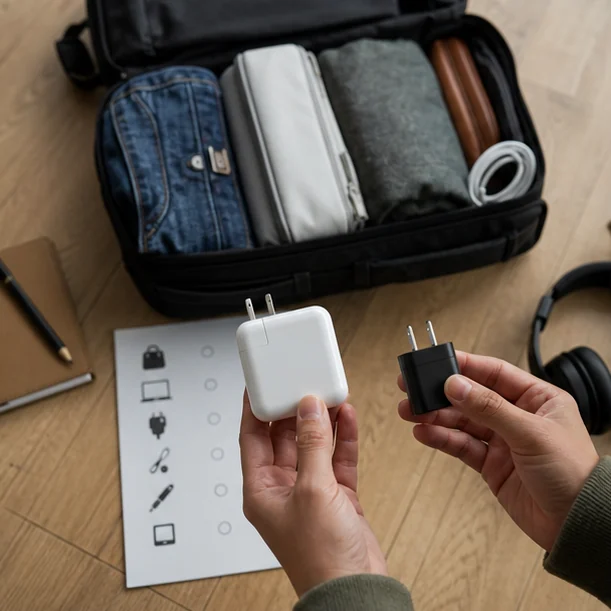
Living with the choice
Care is part of the value.
Photograph the routing before changes, dust the tray quarterly, and remove abandoned cables so the system stays understandable.
Keep the receipt and care information until the return period has passed. Reassess the product after the first ordinary week—not only the exciting first day—and notice whether it has found a stable place in your routine.
Questions readers ask
Quick answers before you buy.
How much should I spend on desk cable management that stays tidy?
Set a budget after identifying the must-have criterion that changes your experience. Pay for that feature and reliable construction; skip upgrades that do not serve your scenario.
Is the most feature-rich option usually better?
No. Extra modes, pockets, materials, or accessories can add weight, maintenance, and confusion. A smaller feature set that fits the routine is often the stronger buy.
How can I compare options without hands-on testing?
Use published dimensions, materials, care instructions, compatibility information, and return terms. Treat unverified reviews as one signal, not proof, and avoid claims that cannot be traced to a reliable source.